
Meet Model Stash & Workbench: Free Scale Model & Paint Tracker

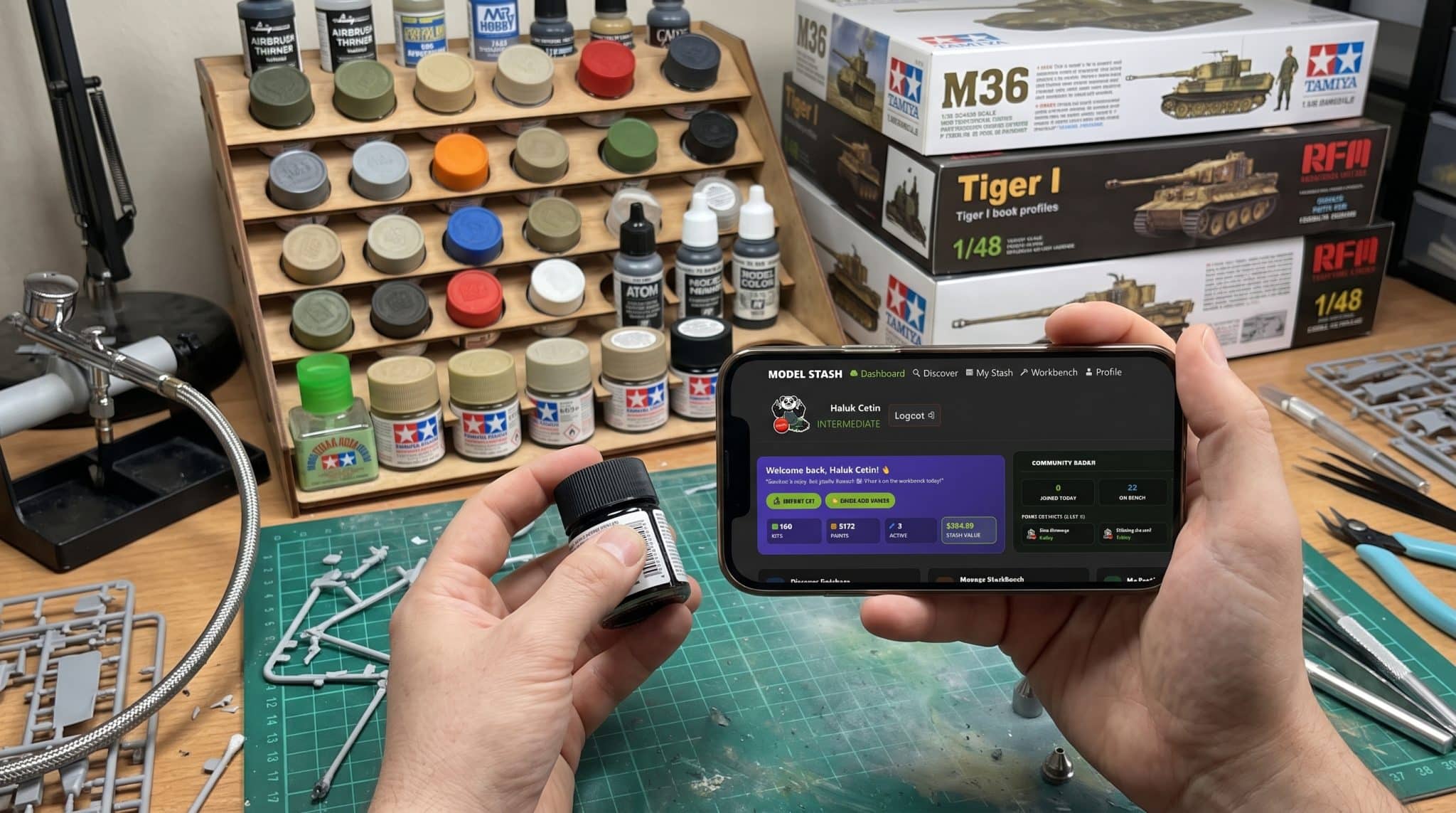
Be honest: how many times have you stood in front of the paint rack at your local hobby shop, stared at a bottle of Tamiya XF-62 Olive Drab or Vallejo 70.950 Black, thought to yourself, “I’m pretty sure I ran out of this last month,” bought a fresh bottle—and then walked home to find three unopened bottles of the exact same color sitting behind your airbrush booth?
And let’s not even talk about the “Closet of Shame.” Once your unbuilt kit collection crosses the 30-box mark, trying to remember which decals, resin cockpit sets, or required paints you already own for a specific build becomes a second job. For years, our only options for a scale model stash and paint tracker app were either maintaining an ugly Excel spreadsheet or navigating clunky databases designed in 2004 that barely work on a smartphone screen. So we decided to build the exact tool we wanted on our own desk: welcome to the brand-new Hobbyzero Model Stash & Workbench!
🚀 What You Can Do Inside Model Stash & Workbench (100% Free)
- Instant Mobile Barcode Scanner: Standing in the hobby shop aisle? Tap the green Scan button on your phone camera to check if a kit or paint is already sitting in your stash at home.
- 5,000+ Paint Rack Inventory (Quick-Add): Track every jar of Tamiya, Vallejo, Citadel, AK 3rd Gen, Mr. Color, and ATOM by Ammo on your desk in seconds—never buy a duplicate bottle again.
- Active Workbench & Paint Matching: Move a kit from your Stash to your active Workbench, log your build progress step-by-step, and instantly see which required callout paints you own vs. what needs to go on your shopping list.
- 1-Click CSV Import & Real-Time Stash Valuation: Moving over from another database or spreadsheet? Import your entire collection via CSV in ten seconds and track your total stash value.
Why We Built a Dedicated Workbench Ecosystem (And How It Works)
When you are deep into a build—whether you are wrestling with a 1,200-part tank from our Tamiya 1/35 M36 (#35390) vs Full-Interior Armor Kits guide or picking your next fighter from our Eduard vs Tamiya vs Great Wall Hobby 1/48 Showdown—you want a digital companion that stays out of your way and works just as fast on your phone as it does on your desktop monitor.
Here is a tour of the six core tools waiting inside your Workbench Dashboard right now:
| Workbench Feature | The Problem It Solves | How It Works on Your Phone / PC |
|---|---|---|
| 📦 My Stash & CSV Import | Forgetting which boxings, scales & aftermarket sets you own | Visual grid of your kits, purchase prices, total stash value & 1-click CSV bulk import. |
| 🎨 Quick-Add Paint Locker | Buying a 4th duplicate jar of Tamiya XF-1 or Mr. Surfacer 1500 | Search by paint code (e.g., XF-62, 70.950) across 5,100+ paints and tap once to add. |
| 📷 Live Barcode Scanner | Typing long kit numbers on a tiny phone keyboard at a model show | Point your smartphone camera at any box barcode to pull up the kit and add it to your stash. |
| 🛠️ Active Workbench | Losing track of half-finished builds & missing callout colors | Track active builds from assembly to priming, cross-referenced automatically with your paint locker! |
| 📡 Community Radar & Ranks | Building alone in a vacuum without seeing what others are working on | See live builds on the bench worldwide, level up your builder rank, and request missing kits. |

Inside the 5 Best Features on Your New Dashboard

1. The “Quick-Add” Paint Rack (5,100+ Paints Indexed)
Nobody wants to spend three hours typing paint names one by one. Inside the My Stash paint manager, you can hit the green 🎨 QUICK ADD PAINTS button, filter by brand (Tamiya, Vallejo, Mr. Hobby, AK Interactive, Ammo by Mig, Citadel), and tap off every bottle sitting on your desk in two minutes flat. Next time you are mixing ratios from our How to Thin Vallejo, Citadel & Tamiya Paints for Airbrush (2026 Chart), your entire paint inventory is right in your pocket.
2. Automatic Paint-to-Kit Matching on the Workbench
Here is where the magic happens: when you move a kit from your Stash onto your Active Workbench, the system automatically checks the kit’s required paint callouts against the paints you already have logged in your inventory!
-
Own the color already? It lights up green.
-
Missing a specific shade of Dunkelgelb or Ghost Grey? Add it to your Shopping List with one click before you even clip the first part off the runner with your GodHand or DSPIAE nippers.
3. Built-In Smartphone Barcode Scanner (For Model Shows & Swap Meets)
When you are digging through stacks of boxes under a vendor table at an IPMS model show (or browsing the aisles after reading our All Japan Model & Hobby Show 2026 Reveals), just tap the floating green 📷 Scan button on the bottom navigation bar of your phone. Point your camera at the EAN/UPC barcode on the side of the box, and the system identifies the kit instantly.
4. Smart Recommendations & Stash Valuation
Ever wondered what your closet full of unbuilt plastic is actually worth? Your dashboard calculates your Live Stash Value automatically (just don’t leave that screen open where your spouse can see it!). Plus, down at the bottom of your dashboard, our recommendation engine analyzes the scales and aircraft/armor subjects you build most—suggesting matching kits from our Discover Database that fit right into your collection.
5. Community Radar, Builder Ranks & Direct Kit Requests
Scale modeling is better when you can see what else is happening on benches around the world. The live Community Radar shows how many kits are actively on the workbench across the Hobbyzero community today, how many builds have crossed the finish line, and lets you earn builder ranks (complete with our Panda mascot badges) as you log your stash and finish builds. Can’t find a rare resin kit or brand-new release in the database? Click the 💬 Community & Kit Requests button at the top of the dashboard to ping our team directly!
How to Set Up Your Free Workbench in 60 Seconds
🐼 Ready to Organize Your Bench? Here Is Your 3-Step Start:
- Head to the Dashboard: Open the Hobbyzero Model Stash & Workbench Dashboard on your phone or desktop and create your free builder profile.
- Import or Scan Your Kits: Use the
IMPORT CSVbutton to bring over your existing spreadsheet/database list in one click, or use the mobileScanbutton to scan the barcodes on your shelf. - Log Your Paint Rack & Start a Build: Tap
QUICK ADD PAINTSto check off your paint bottles, then send your current project to the Workbench to track your progress!
Frequently Asked Questions (FAQ)
Is Hobbyzero Model Stash & Workbench completely free to use?
Yes—100% free! There are no kit limits, no paint bottle limits, and no paywalls hiding the barcode scanner or CSV import tool. You can log 5 kits or 5,000 kits at zero cost.
Can I import my existing stash from Scalemates or an Excel spreadsheet?
Yes! Just export your existing collection as a .CSV file, click the green IMPORT CSV button right on your Workbench Dashboard, and your kits will populate inside your account without having to re-type them one by one.
Does it work as a mobile app on iPhone and Android?
Model Stash & Workbench is built as a fast, mobile-first web app with a dedicated bottom navigation bar (Home, Stash, Scan, Bench, Profile). Open [hobbyzero.com/dashboard/](https://hobbyzero.com/dashboard/) in Safari (iOS) or Chrome (Android) and tap “Add to Home Screen”—it installs an icon right on your phone screen and gives you instant access to the camera barcode scanner whenever you visit a hobby shop!